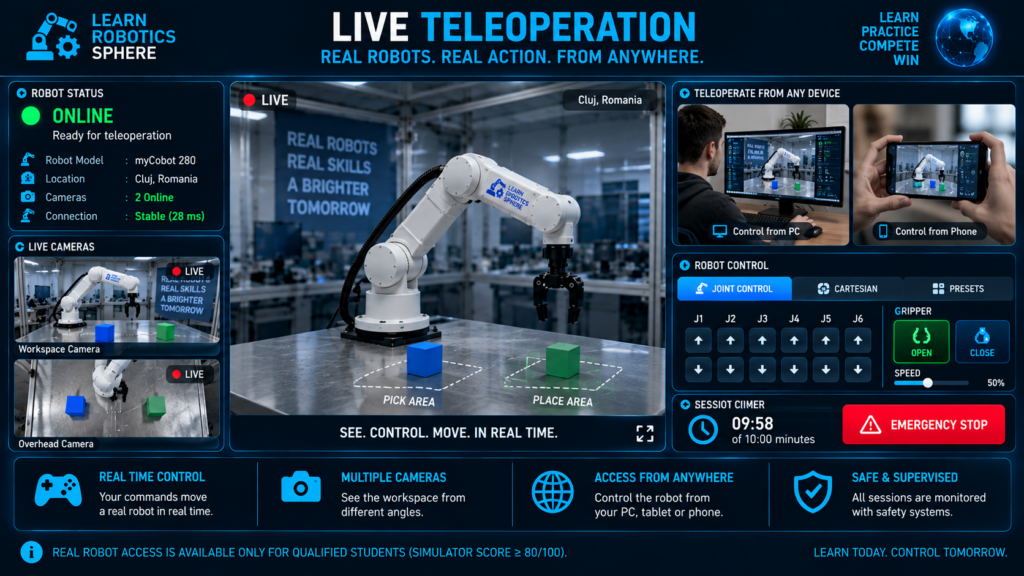
Control a Real Robot in Real Time
Your commands are transmitted to a physical robot and executed in the real workspace.
During your scheduled session, you will connect remotely to a real robotic arm and control it from your PC, tablet or smartphone.
The Live Teleoperation interface provides:
- Live camera views — see the robot and workspace from multiple angles
- Robot controls — move the robotic arm using joint or Cartesian controls
- Gripper control — open and close the gripper to manipulate real objects
- Session timer — monitor the remaining time in your 10-minute session
- Connection status — verify that the robot and cameras are online
- Emergency Stop — immediately stop the robot whenever necessary
Every command you send produces a real movement on the physical robot.
Only qualified students with a simulator final score of at least 80/100 can access Live Teleoperation.
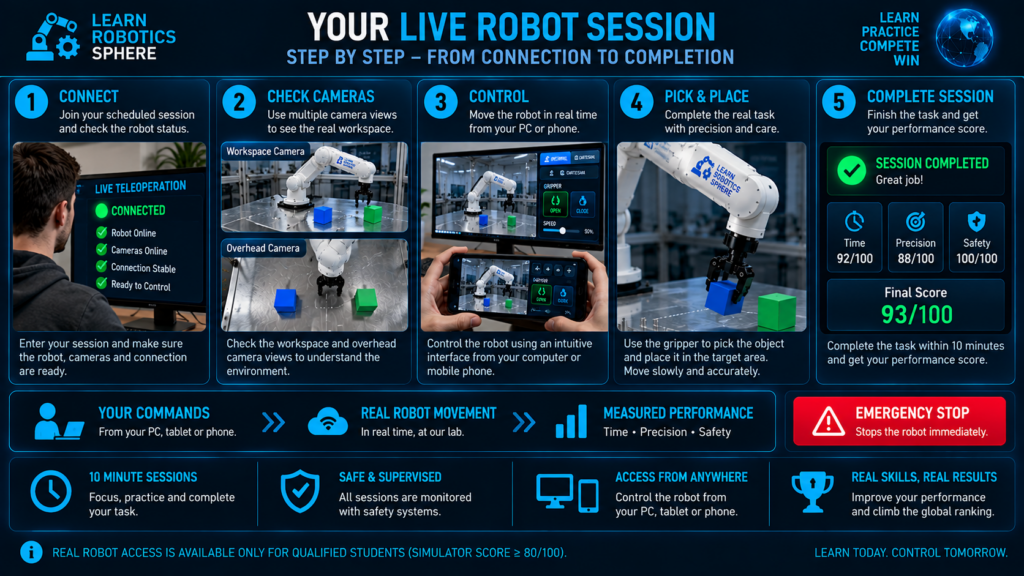
The following steps show how a Live Teleoperation session works — from connecting to the real robot and checking the camera views to completing the task and receiving your performance score.
Your Live Robot Session — Step by Step
Your real robot session follows five simple stages:
- Connect — join your scheduled session and verify that the robot, cameras and connection are ready.
- Check Cameras — inspect the workspace using the available live camera views.
- Control — move the robot carefully from your PC, tablet or smartphone.
- Complete the Task — use the gripper to pick up the object and place it in the target area.
- Finish & Score — complete the task and receive your performance results.
Your performance is measured using:
Time • Precision • Safety
At any moment, Emergency Stop can be used to stop the robot immediately.
Checking your Real Robot session access...
LIVE SESSION ACCESS
Ready for Live Teleoperation
SESSION TIME REMAINING
10:00